AI Logo Maker for Ecommerce Brands: 7 Best Tools to Try in 2026
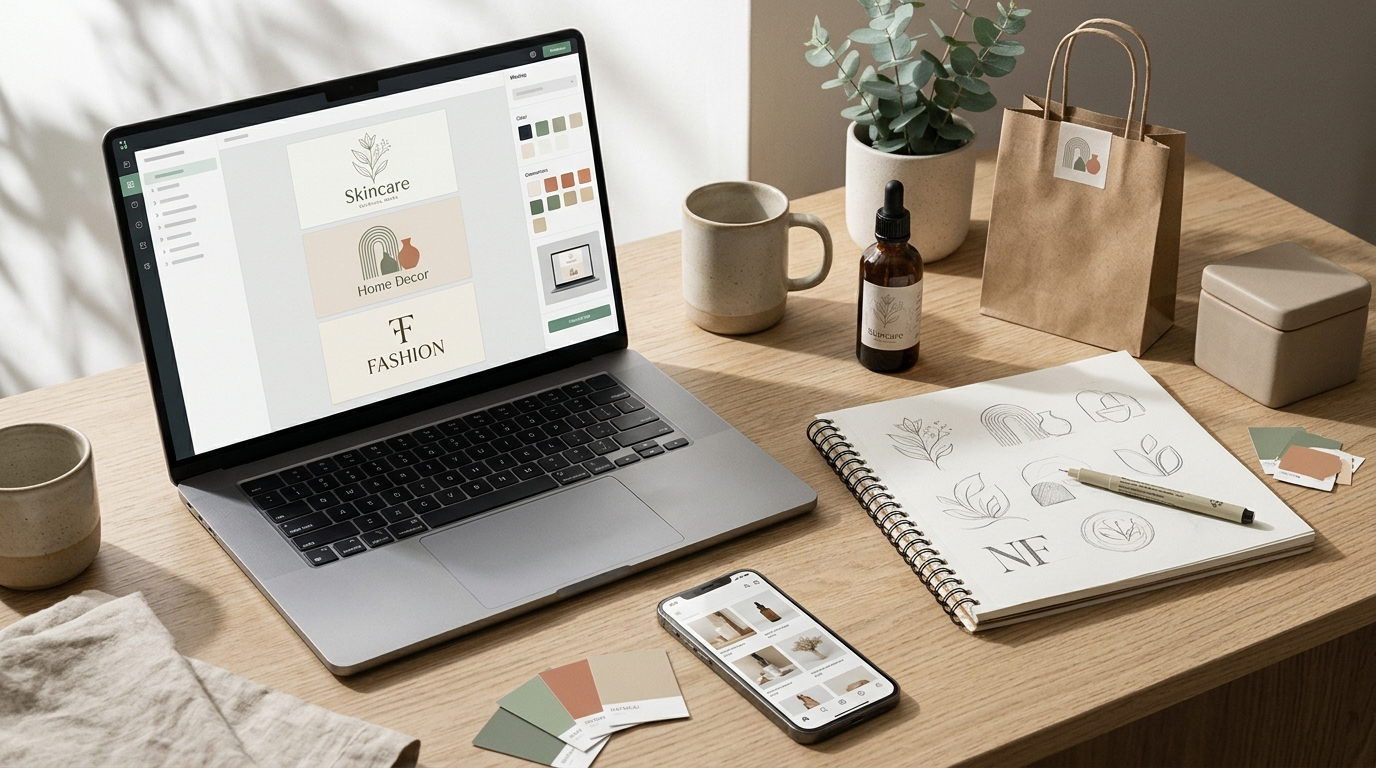
A logo is often one of the first things customers notice about an online store. It appears on your website, product packaging, social media profiles, emails, and sometimes even shipping labels. A clear, memorable logo can help your ecommerce brand look more professional and recognizable. But hiring a designer may not fit every new store’s budget. That’s where an AI logo maker for ecommerce brands can help. These tools can generate logo concepts, suggest fonts and colors, and help you explore different visual styles without starting from a blank page.
The important thing is choosing a tool that fits your brand—not simply picking the first logo that looks attractive.
In this guide, we’ll compare seven AI logo makers and logo-design tools, explain what each is useful for, and show you how to choose a logo that works across your online store, packaging, and marketing materials.
Editorial note: This guide compares tools based on their general purpose and publicly offered capabilities. It is not a hands-on performance test of every platform. Features, export options, pricing, and licensing terms may change, so check each provider’s official website before purchasing.
Quick Answer: Which AI Logo Maker Is Best for Ecommerce?
The best option depends on what you need from your logo.
- Looka: Worth considering if you want AI-assisted logo concepts and broader brand identity materials.
- Brandmark: A useful option for exploring automated logo concepts and visual branding.
- Canva: A practical choice if you want to create a logo and use the same design platform for marketing graphics.
- Adobe Express: Worth exploring if you want to create a logo and other branded visual content.
- Wix Logo Maker: Relevant for store owners who want a logo and may also need website-building tools.
- Tailor Brands: An option to investigate if you’re looking for a guided branding process.
- Shopify’s logo maker: A starting point for merchants who want to create a simple logo without a complicated design workflow.
Our recommendation: Start by defining your brand’s personality, target audience, and preferred visual style. Then compare two or three tools. Before using a logo commercially, check the download requirements, commercial-use terms, and any limitations on exclusive ownership.
Table of Contents
- What Is an AI Logo Maker?
- Why Ecommerce Brands Use AI Logo Makers
- 7 AI Logo Makers for Ecommerce Brands
- AI Logo Maker Comparison Table
- How to Choose the Right Tool
- How to Create an Ecommerce Logo With AI
- Logo Design Tips for Online Stores
- Common AI Logo Design Mistakes
- AI Logo Maker vs. Professional Designer
- Frequently Asked Questions
- Final Verdict
What Is an AI Logo Maker?
An AI logo maker is a digital tool that helps users create logo concepts with the assistance of artificial intelligence, automated design systems, or customizable templates.
Depending on the platform, you may enter your brand name, choose an industry, select a visual style, and describe the type of logo you want. The tool then suggests designs that you can review and customize.
For example, a skincare store might request a minimalist wordmark with soft colors and elegant typography. A fitness accessories brand might prefer bold lettering and a more energetic visual style.
Some tools focus on generating logo ideas, while others offer additional features such as brand colors, social media graphics, business cards, or website assets. The exact features depend on the provider and plan.
An AI logo maker can make the design process easier, but it does not automatically guarantee a distinctive or legally protected brand identity.
The goal is simple: keep the product and remove the distraction. Looking for more tools to create better product images and designs? Explore our complete guide to AI Product Image & Design Tools for ecommerce.
Why Ecommerce Brands Use AI Logo Makers
1. They make it easier to explore design ideas.
Starting a logo from scratch can be difficult if you have limited design experience. Logo makers give you a starting point by suggesting different combinations of typography, symbols, colors, and layouts.
Instead of trying to imagine every possible design, you can compare several concepts and identify the direction that suits your store.
2. They can reduce initial design costs.
A new ecommerce business may already be paying for inventory, website hosting, product photography, and advertising.
Depending on the provider, an AI logo maker may offer free previews or basic creation options, with payment required for certain downloads, files, or branding features. This can make it a useful starting point for businesses with limited budgets.
However, compare the complete cost before deciding. A low-cost logo may not include every file format or brand asset you need.
3. They help maintain visual consistency.
Your logo should work with your website colors, product packaging, email templates, and social media graphics.
Some design platforms provide additional branding features that help you reuse the same visual style across multiple assets. This can be particularly useful for small teams managing their own marketing.
4. They support faster experimentation.
Your first logo concept may not be the right one. You might discover that a different font, simpler symbol, or more restrained color palette better represents your products.
AI-assisted tools can help you explore alternatives before you commit to a final direction.
5. They are accessible to non-designers.
You do not need advanced graphic design skills to begin experimenting with most logo makers. Guided steps, templates, and customization controls can make the process more approachable.
Still, a good result requires judgment. You need to evaluate whether the design is readable, relevant to your audience, and suitable for your brand.
AI Logo Makers for Ecommerce Brands
1. Looka—For AI-Assisted Logo Concepts and Brand Assets
Official website: Looka
Looka is worth exploring if you want to generate logo concepts and develop a broader visual identity for your ecommerce business.
You can explore designs based on your brand name, industry, and visual preferences. Depending on the available package, the platform may also offer additional brand assets.
What to consider:
- AI-assisted logo concept generation
- Options for exploring different visual directions
- Branding resources beyond the logo, depending on the plan
- Export and usage conditions that should be checked before purchase
Best for: New ecommerce brands that want to explore logo concepts alongside a wider branding package.
Potential limitation: The initial concepts may require customization to feel distinctive. Review the available downloads and commercial-use terms before paying.
2. Brandmark—For Exploring Automated Logo Designs
Official website: Brandmark
Brandmark focuses on automated logo design and visual identity creation. It can be a useful option if you want to explore different design directions without manually building every element.
For an ecommerce brand, the main task is to find a logo that looks appropriate for your product category without relying on generic symbols.
For example, a home decor store may benefit from restrained typography and a simple visual mark, while a playful children’s product brand may need a more expressive style.
What to consider:
- Automated logo concept generation
- Different visual directions to review
- Potential brand identity assets, depending on the available package
- Download formats and licensing conditions
Best for: Store owners who want to compare generated logo concepts.
Potential limitation: Automated designs may resemble other logos. Review the final result carefully and investigate trademark availability before committing to a brand name or symbol.
3. Canva—For Logo Design and Everyday Marketing Graphics
Official website: Canva
Canva is a flexible option for ecommerce owners who want to create a logo and design other marketing materials in the same platform.
You can work with logo templates, text, shapes, colors, and other design elements. Canva also provides AI-assisted features, although the exact tools available may vary by account, region, and plan.
This flexibility can be helpful when you need more than a logo—for example, promotional graphics, social media posts, or branded banners.
What to consider:
- Editable logo designs and templates
- Control over typography, colors, and layout
- A wider design workspace for marketing assets
- Different licensing considerations for individual design elements
Best for: Small ecommerce businesses that want to create and manage several types of visual content.
Potential limitation: A template-based logo may not be exclusive to your brand. Check the licensing rules for the specific elements you use, especially if you plan to register the logo as a trademark.
4. Adobe Express—For Simple Logo Creation and Branded Content
Official website: Adobe Express
Adobe Express offers design tools for creating visual content, including logo-related designs and branded graphics. It may suit store owners who want to create a logo and then use a similar visual style across their promotional materials.
The platform’s available AI features and design resources can change, so review the current options before choosing a plan.
What to consider:
- Logo design resources and templates
- Customization of text, colors, and layouts
- A broader workflow for marketing graphics
- Available export options and asset licensing
Best for: Ecommerce owners who want a straightforward design workflow for logos and other branded visuals.
Potential limitation: A logo assembled from existing templates or graphic elements may need further customization to establish a distinctive identity.
5. Wix Logo Maker—For Businesses Exploring Website and Logo Tools
Official website: Wix
Wix is known for website-building tools and also offers logo-related services. Its logo maker is worth considering if you’re exploring both branding and an online presence.
You can investigate its available customization options and whether the output meets the needs of your store.
What to consider:
- Guided logo creation
- Customization options for the final design
- Potential integration with other Wix services
- Export formats and usage rights under the selected package
Best for: Entrepreneurs who are considering Wix for their website and want to explore its logo options.
Potential limitation: Check whether the logo files and features you need are included in the package you’re considering. Do not assume that a logo purchase automatically includes a website plan or every branding asset.
6. Tailor Brands — For a Guided Branding Process
Official website: Tailor Brands
Tailor Brands offers branding-related services for entrepreneurs and small businesses. It is worth reviewing if you prefer a guided process instead of manually designing every part of your logo.
Before choosing it, look at the current logo creation workflow and determine whether the available customization options suit your brand.
What to consider:
- A guided branding experience
- Logo creation and customization options
- Additional business or branding services, depending on the offering
- Package requirements and licensing conditions
Best for: New business owners who want guidance while developing their initial brand identity.
Potential limitation: Review the complete package carefully. Additional services, subscription requirements, and downloadable assets may be subject to different terms.
7. Shopify Logo Maker — For a Simple Starting Point
Official website: Shopify Logo Maker
Shopify’s logo maker is worth considering if you want to create a simple logo concept for an online business.
A basic logo can be enough to begin exploring your brand’s visual direction. You can then decide whether you need a more advanced design tool or a professional designer.
What to consider:
- A straightforward logo creation workflow
- Options for exploring simple logo concepts
- Suitability as an initial branding resource
- Current download options and usage terms
Best for: Entrepreneurs who want a simple starting point for an ecommerce logo.
Potential limitation: A basic logo maker may not provide the depth of customization or distinctive visual identity that an established brand requires.
AI Logo Maker Comparison Table
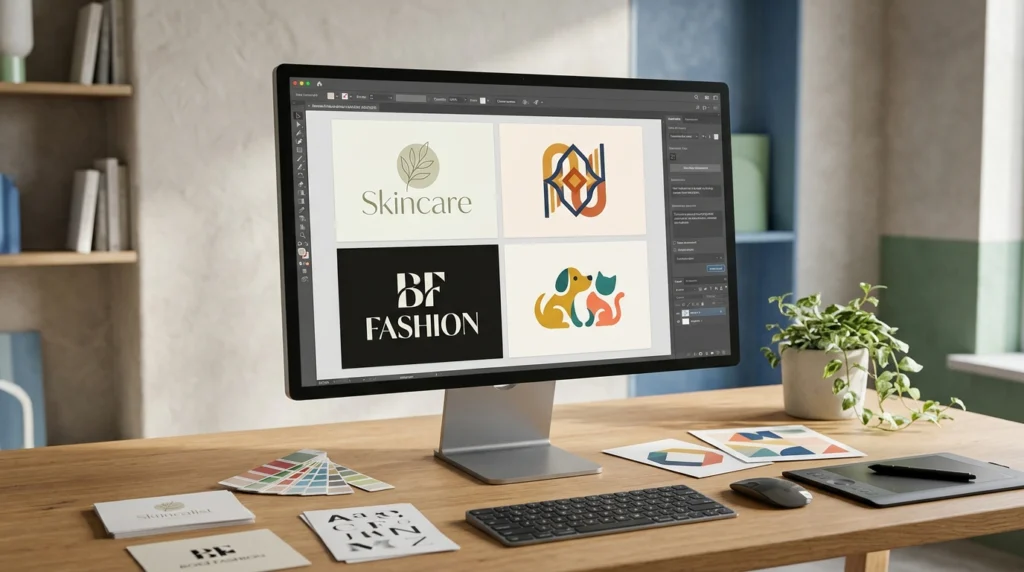
The following comparison summarizes the general use case of each tool. It is not a hands-on performance ranking, and it does not imply that one platform is objectively better than another.
| Tool | Main use case | Worth considering if you need | What to check |
|---|---|---|---|
| Looka | AI-assisted logo concepts | Logo ideas and broader brand assets | Package, file formats, usage rights |
| Brandmark | Automated logo design | Multiple visual directions | Originality, downloads, licensing |
| Canva | Flexible design workspace | Logos and marketing graphics | Element licensing and export options |
| Adobe Express | Logo and branded content creation | Logos plus promotional designs | Available features and asset terms |
| Wix Logo Maker | Guided logo creation | Logo and potential website workflow | Package requirements and integrations |
| Tailor Brands | Guided branding | A structured starting process | Subscription, included services, licensing |
| Shopify Logo Maker | Simple logo creation | An initial logo concept | Customization and download options |
How to use this table: Shortlist two or three tools, create sample concepts, and compare the results at the actual sizes where your customers will see them. Check the full cost and licensing conditions before making a final decision.
How to Choose the Right Tool
The best AI logo maker is not necessarily the one that generates the most designs. It is the one that helps you create a logo suited to your brand and business requirements.
Check customization options
Look for control over typography, color, spacing, layout, and symbols. Even if the first design looks good, you may need to adjust it for your website header, packaging, or social media profile.
Review the export formats
Your logo may need to work in several situations.
| Format | Common use |
|---|---|
| SVG | Scalable graphics for supported web and design workflows |
| PNG | Website graphics and transparent-background images |
| JPG or JPEG | General-purpose images where transparency is unnecessary |
| Sharing or printing, depending on the file’s construction |
Not every tool provides every format in every plan. Check the actual download options before purchasing.
For professional printing, confirm that the file meets your printer’s requirements. A PDF logo is not automatically a print-ready vector file.
Understand commercial use and ownership
This is particularly important for ecommerce brands. A logo that looks professional is not necessarily exclusive or eligible for trademark registration.
Before publishing your logo, review:
- Whether commercial use is permitted under the selected plan
- Whether the design includes stock icons, templates, or other third-party assets
- Whether you receive the source or editable files you need
- Whether the logo or its individual elements have restrictions on exclusive use
- Whether your brand name and visual mark conflict with existing trademarks
If the logo is central to a long-term brand, consider a trademark search and professional legal advice where appropriate.
Compare the complete cost
A free preview does not necessarily mean the final logo files are free. Some providers charge for downloads, higher-resolution files, additional brand assets, or ongoing services.
Compare what you actually receive rather than choosing a tool based only on its starting price.
Test the logo at small sizes
A logo that looks attractive on a large screen may become unreadable in a small mobile header or social media profile picture.
Check it at realistic sizes before committing to the design.
How to Create an Ecommerce Logo With AI
You can use the following process with most logo makers.
Step 1: Define your brand
Before opening a tool, write down your brand name, product category, target customer, and desired personality.
For example, a sustainable home goods store might want its brand to feel calm, practical, and environmentally conscious.
Step 2: Choose a visual direction
Decide whether you prefer a wordmark, a symbol combined with text, or a simple emblem.
You can also choose a general style, such as minimalist, modern, playful, premium, or traditional.
Try to make the style fit your customers and products rather than following a design trend simply because it is popular.
Step 3: Generate several concepts
Enter your brand information and explore multiple designs. Avoid choosing a logo after seeing only one result.
Compare the concepts based on readability, relevance, simplicity, and distinctiveness.
Step 4: Refine the strongest option
Adjust the font, spacing, colors, and symbol where the tool allows it. Remove unnecessary decoration.
A logo usually becomes easier to recognize when it communicates the brand clearly without too many competing elements.
Step 5: Test it in real ecommerce settings
Imagine how the logo will look in your store’s header, on a product label, in an email signature, and as a small social media profile image.
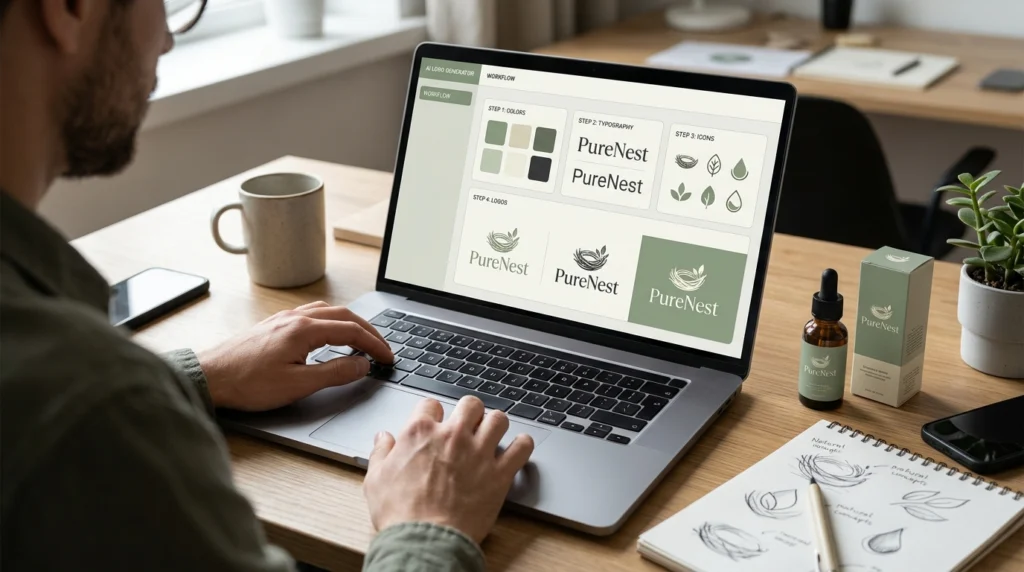
Example: Creating a logo for a fictional skincare brand
| Brand detail | Example |
|---|---|
| Brand name | PureNest |
| Product category | Skincare |
| Target audience | Adults looking for simple skincare products |
| Desired style | Minimalist, clean, modern |
| Preferred colors | Sage green, cream, charcoal |
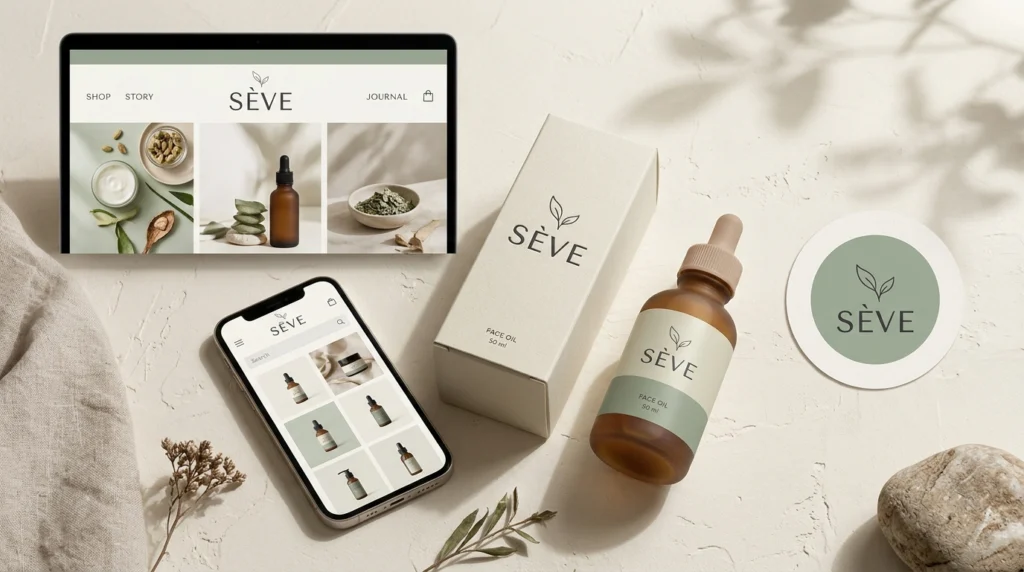
| Logo direction | Readable wordmark with a simple botanical symbol |
These are starting preferences, not strict design rules. A good final logo should remain readable and recognizable even if you remove the symbol or reduce the number of colors.
Step 6: Check the final files and rights
Before using the logo commercially, confirm the available file formats, resolution, transparency, and license terms.
If you intend to print the logo on packaging or merchandise, confirm that the file is suitable for the intended production process.
Logo Design Tips for Online Stores
Keep the design simple
Your logo should be easy to recognize without requiring customers to study it. Too many shapes, colors, or decorative details can make it difficult to use across different platforms.
Make readability a priority
Choose typography that remains clear at small sizes. A highly decorative font may look interesting in a large preview but become difficult to read in a mobile navigation bar.
Use colors with a clear purpose
Choose a small, consistent color palette that fits your products and brand personality. Also test a monochrome version so the logo remains usable when color is unavailable or unsuitable.
Design for mobile first
Many shoppers browse ecommerce websites on phones. Test the logo in a compact header and make sure the brand name does not become too small.
Create a version that works without a background
A transparent PNG or an appropriate vector format can make it easier to place your logo on different backgrounds. Confirm that your chosen tool supports the file format you need.
Avoid copying competitors
Competitor research can help you understand the visual conventions of your industry, but your logo should not be so similar to another brand that customers could confuse the two.
Look for a visual direction that communicates your own products, positioning, and personality.
Common AI Logo Design Mistakes
Choosing the first attractive result
The first design may look polished without being distinctive or practical. Generate alternatives and compare them before making a decision.
Adding too many elements
Extra symbols, gradients, decorative fonts, and slogans can make the design difficult to use. Remove elements that do not strengthen brand recognition.
Ignoring licensing terms
Do not assume that every template or generated logo is exclusive. Review the provider’s terms and check the underlying assets before commercial use.
Using a logo that looks too similar to another brand
A design can appear original at first glance and still resemble an existing mark. Search for similar logos and consider a trademark search before investing heavily in packaging, advertising, and brand promotion.
Forgetting the favicon and profile image
Your main logo may need a simpler companion version for small spaces. Test whether a symbol or shortened mark can remain recognizable without the full brand name.
Failing to test the logo in context
A logo should work with your actual website layout, product photography, and packaging. Review it in context instead of judging it only in the logo maker’s preview.
AI Logo Maker vs. Professional Designer
An AI logo maker and a professional designer can both contribute to the branding process, but they serve different needs.
| Factor | AI logo maker | Professional designer |
|---|---|---|
| Starting process | Often guided or automated | Usually begins with a briefing and design process |
| Design exploration | Can generate multiple concepts quickly | Develops concepts based on the project scope |
| Customization | Depends on the platform and plan | Depends on the designer’s skills and agreement |
| Brand strategy | Usually limited or tool-dependent | May include research and strategic guidance |
| Cost | May offer free options or paid packages | Varies by experience, scope, and deliverables |
| Exclusivity | Depends on the assets and license | Depends on the contract and underlying assets |
| Best suited for | Early concepts and simple branding needs | More distinctive identities and complex brand requirements |
An AI logo maker can be a reasonable starting point for a new store with a limited budget. A professional designer may be more appropriate when your business needs a comprehensive identity, a distinctive visual system, or carefully prepared files for multiple applications.
You can also combine both approaches: use an AI tool to explore ideas, then hire a designer to refine the direction.
Frequently Asked Questions
1. What is the best AI logo maker for ecommerce brands?
There is no single best tool for every business. Looka and Brandmark are worth exploring for AI-assisted logo concepts, while Canva and Adobe Express may suit merchants who also need marketing graphics. Compare the available features, export options, and licensing before choosing.
2. Can I use an AI-generated logo for my online store?
Potentially, yes, but it depends on the tool’s terms and the assets used in the design. Check whether commercial use is permitted and whether any restrictions apply to the logo or its individual elements.
3. Are AI logo makers free?
Some tools offer free creation options, previews, or basic logo resources, while others charge for downloads, advanced features, or additional branding assets. Check the provider’s current pricing and plan details before committing.
4. Can I trademark an AI-generated logo?
Trademark eligibility depends on the applicable law, the logo’s distinctiveness, ownership issues, and other circumstances. AI involvement does not automatically guarantee or prevent registration. Consult a qualified trademark professional for advice specific to your situation.
5. Which logo file format is best for ecommerce?
SVG is useful for scalable graphics where supported, while PNG is commonly used for website images that need transparency. The right choice depends on the intended use and the files your logo maker provides.
6. What makes a good ecommerce logo?
A good ecommerce logo is readable, memorable, appropriate for the brand, and flexible enough to work across websites, packaging, social media, and marketing materials.
7. Should my logo include a symbol or just my brand name?
Both can work. A wordmark can help customers learn your brand name, while a symbol may be useful in small spaces. Choose the format that best suits your name, audience, and design requirements.
8. Can AI replace a professional logo designer?
AI tools can help with early concepts and straightforward logo creation. They may not replace the research, strategic thinking, originality, and detailed customization required for every brand identity project.
9. How many colors should an ecommerce logo use?
There is no universal rule, but starting with a small color palette can make the logo easier to use consistently. Test the design in both color and monochrome.
10. Can I change my logo later?
Yes. Many businesses update their visual identity as their products, customers, or positioning evolve. Before making a change, consider how it will affect existing packaging, website assets, and customer recognition.
11. Do I need a separate logo for social media?
Not necessarily. You may use the same logo, but a simplified icon or symbol can work better in a small profile image. Make sure the simplified version remains recognizable.
12. What should I check before downloading my final logo?
Confirm the file formats, resolution, transparency, commercial-use terms, editable-file availability, and any limitations on third-party assets. If you plan to build a long-term brand, also investigate potential trademark conflicts.
Final Verdict
An AI logo maker for ecommerce brands can be a practical way to explore visual ideas and create an initial logo without beginning a design project from scratch.
Looka and Brandmark are worth exploring for automated logo concepts. Canva and Adobe Express offer broader design workflows, while Wix Logo Maker, Tailor Brands, and Shopify’s logo maker provide other starting points depending on your needs.
Do not choose a tool based on the number of designs it generates or the appearance of a single preview. Focus on readability, brand relevance, customization, export quality, total cost, and commercial-use terms.
Most importantly, treat the generated design as a starting point. Refine it, test it across your ecommerce store, and check for potential conflicts before investing in packaging or marketing.
The best logo is one your customers can recognize, your business can use consistently, and your brand can build on over time.